CidiLabs Sidebar Default Change
Starting January 13, 2025, Baylor will update the default CidiLabs sidebar in Canvas to the new DesignPlus Sidebar. This change is part of our commitment to enhancing course design, accessibility, and offering tools that streamline the process of building engaging and visually appealing courses.
The new DesignPlus Sidebar empowers instructors and course designers to create professional, organized content efficiently—without needing any prior knowledge of HTML or CSS. With intuitive features and design options, it simplifies the process of developing content that fosters student engagement and accessibility.
Important Note: The current Legacy Sidebar will no longer be supported by CidiLabs after December 31, 2025, and will be fully removed from Baylor’s Canvas system at that time.
To assist with this transition, faculty and course designers can access resources provided by CidiLabs:
These resources will help you get familiar with the new sidebar and make the most of its capabilities for your course design needs.
To try the new DesignPlus Sidebar, follow the steps below:
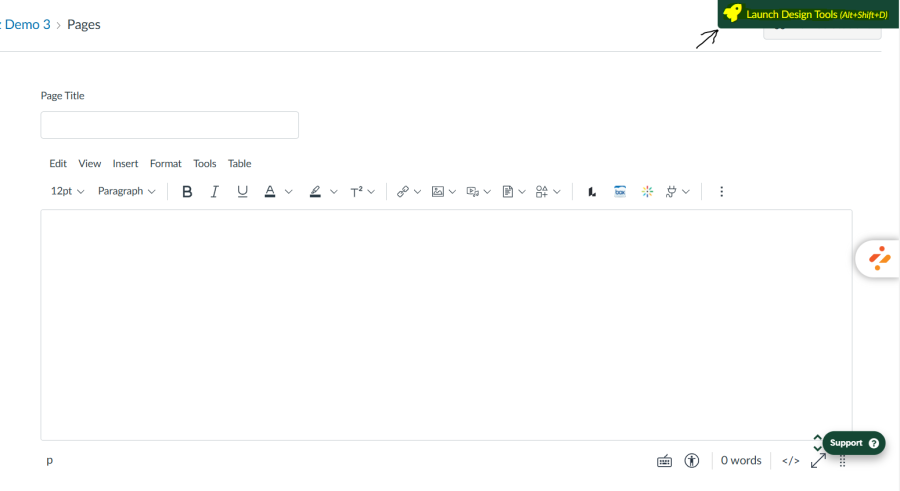
- Create a new page in Canvas and click on the "Rocket Ship" on the top right.
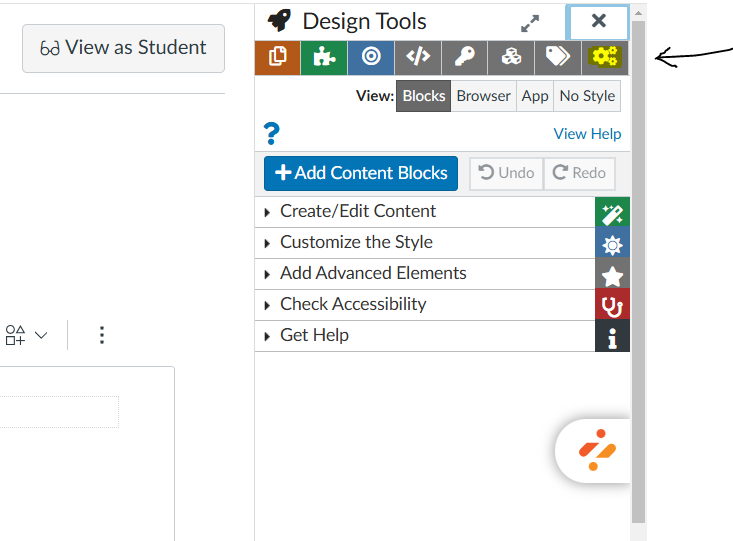
2. Click on the "Settings" gear icon on the top right.
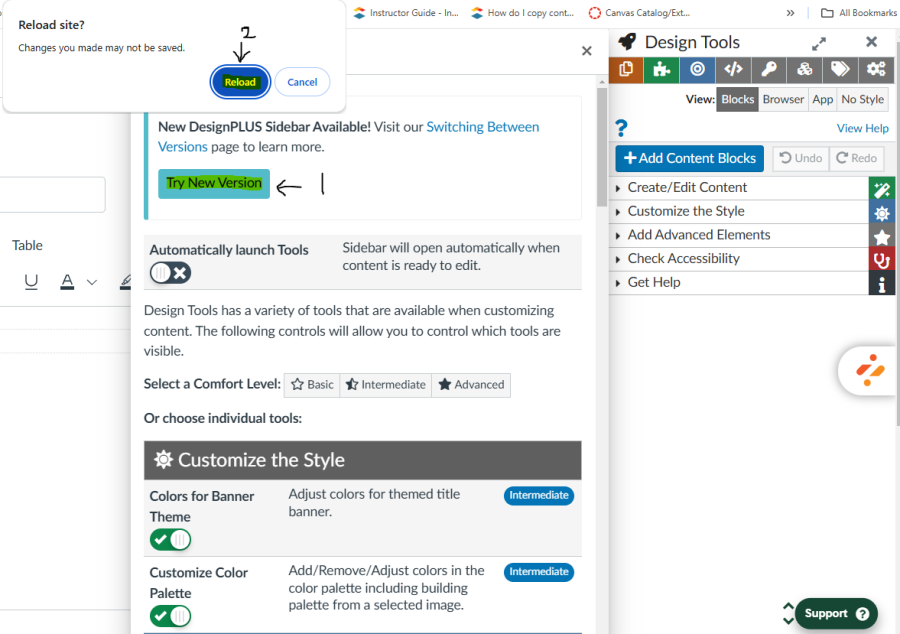
3. Click on the "Try New Version" and "Reload" button and then open a new/existing page.